Corporate Roll Up Banner Template for Professional Marketing
When you're setting up a trade show booth, preparing for a conference, or creating a point-of-sale display, the visual impact of your signage makes or breaks the interaction. A well-designed roll up banner serves as your silent salesperson, catching eyes from across the room and communicating your brand message in seconds. The Corporate Roll Up Banner Template was built with exactly this kind of real-world application in mind—giving designers, marketers, and business owners a polished foundation they can customize without starting from scratch.
What Makes This Template Stand Out
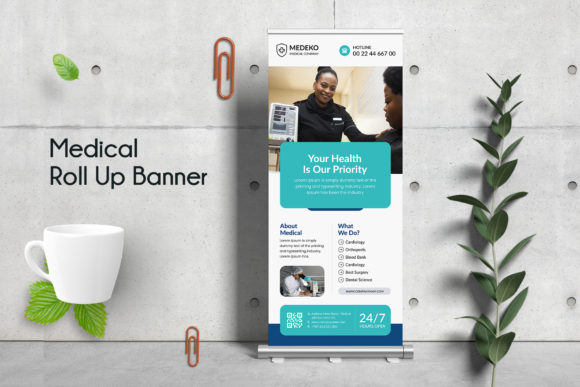
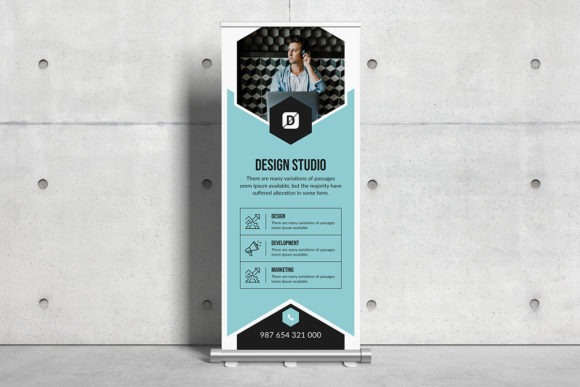
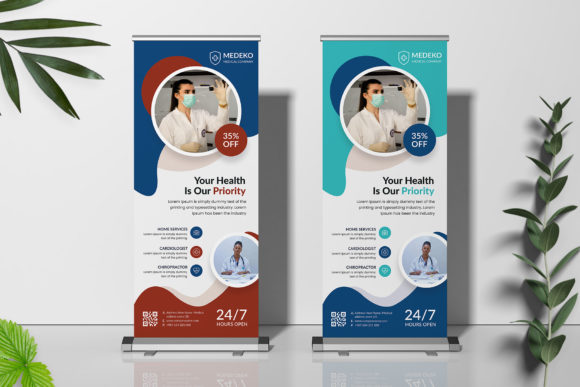
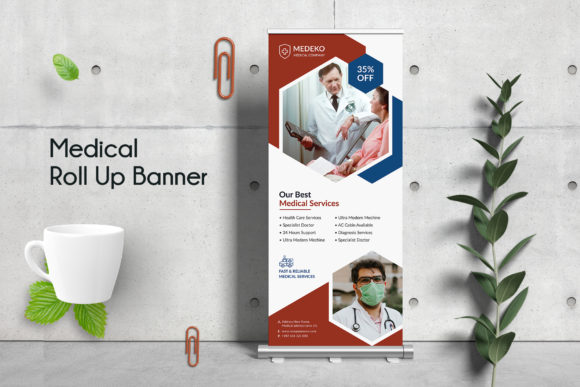
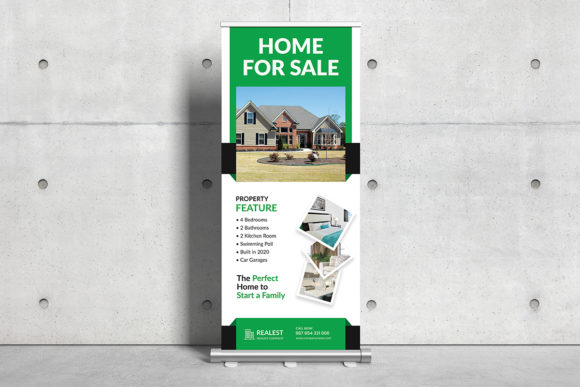
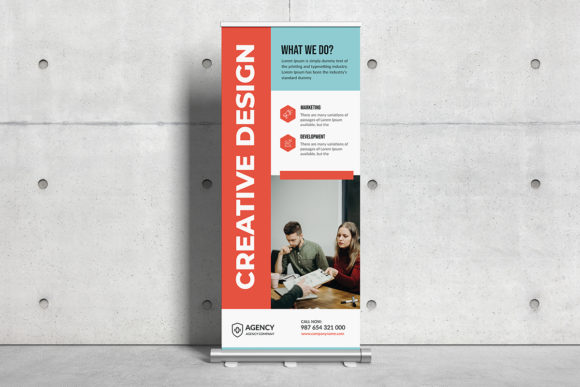
This isn't a generic placeholder with lorem ipsum text and a stock photo slapped in the center. The Corporate Roll Up Banner Template was designed with careful attention to visual hierarchy, spacing, and the kind of clean, professional aesthetic that corporate environments demand. The layout balances breathing room with information density, so your key message, logo, and call to action each have their own space to land without competing with one another.
Visually, the template leans into a modern, polished personality. It avoids trendy gimmicks in favor of timeless design principles—strong alignment, consistent margins, and a clear reading path that guides the viewer's eye from the top of the banner down to the contact information at the bottom. The overall appeal is professional credibility. If your brand needs to project trustworthiness, competence, and clarity, this template delivers that tone immediately.
Because it's built in Adobe Photoshop with fully organized layers, every element sits on its own layer with logical naming conventions. You're not digging through mystery folders or trying to figure out which layer controls the background color. The smart object integration means swapping out images takes seconds rather than minutes of resizing and repositioning.
Practical Features That Save You Time
The technical specifications matter more than most people realize until they're staring at a rejected print file. This Corporate Roll Up Banner Template comes in at 30 by 70 inches with a 0.25-inch bleed—the standard dimensions most print shops expect for retractable banner stands. At 150 DPI in CMYK color mode, the file is genuinely print ready. You won't need to convert color spaces, resize the canvas, or add bleed margins after the fact.
Resolution and color mode are two areas where designers frequently hit problems. RGB files printed on CMYK presses produce muddy, unpredictable colors. Low-resolution files stretched to banner size look pixelated up close. This template eliminates both issues from the start. The CMYK color profile ensures what you see on a calibrated monitor translates predictably to ink on vinyl or fabric. The 150 DPI resolution is appropriate for large-format printing where viewers stand several feet away—sharp enough to look crisp without creating an unnecessarily bloated file size.
The fonts used in the template are free and popular, specifically Google Fonts, which means you won't run into licensing headaches when using the final design commercially. This is a detail that trips up more people than you'd think. Many premium font assets require separate commercial licenses, and using them in client work without proper licensing creates legal exposure. By building the template around freely available typefaces, the designer removed that concern entirely.
Where This Template Works Best
Trade shows and exhibitions are the obvious starting point. A 30-by-70-inch roll up banner is the most common format for booth displays, and having a professional template ready to customize means you can prepare for an event in hours rather than days. Swap in your company logo, update the headline and contact details, adjust the color scheme to match your brand guidelines, and you're ready to send the file to your printer.
Corporate lobbies and reception areas benefit from this kind of signage too. Companies use roll up banners to display mission statements, highlight services, or showcase recent achievements during client visits. The clean, professional aesthetic of this template fits naturally in those environments where first impressions carry weight.
Retail environments and point-of-sale locations present another strong use case. Whether you're promoting a seasonal sale, introducing a new product line, or directing foot traffic within a store, a well-placed roll up banner communicates information without requiring a staff member to explain it. The template's clear visual hierarchy makes it easy to adapt for promotional messaging while maintaining readability from a distance.
Corporate presentations, press conferences, and product launches also call for this kind of branded backdrop. Having a consistent visual identity across your physical materials reinforces brand recognition and signals professionalism to attendees, media, and stakeholders.
Customizing the Template for Your Brand
The layered PSD structure makes customization straightforward, but a few practical considerations will help you get better results. Start with your brand colors. The template uses a specific color palette, and you'll want to replace those values with your own brand guidelines. Because the layers are organized by element type, selecting and recoloring background shapes, text blocks, and accent elements is efficient.
Typography decisions deserve attention even though the included fonts are solid choices. If your brand already has established typefaces, consider whether swapping them in strengthens brand consistency or disrupts the template's visual balance. Sometimes the fonts included in a template work better for signage than a brand's primary typeface, especially if that typeface was designed for body text rather than display use. Test both approaches before committing.
Image selection is where many roll up banners succeed or fail. The template notes that preview images aren't included, which is standard for design assets like this. Choose high-resolution photography that relates directly to your message. Avoid generic stock images that could belong to any company. If you're showcasing products, use your own photography. If you need lifestyle imagery, invest in quality stock that feels authentic to your audience.
The smart object layers simplify image replacement significantly. Double-click the smart object, paste your image, save, and the template automatically applies the correct sizing and positioning. This feature alone saves considerable time compared to manually clipping and masking images.
Design Considerations for Maximum Impact
Readability at distance should guide every text decision you make. Headlines on a 70-inch banner need to be legible from at least 10 to 15 feet away. Body text can be smaller since viewers will approach the banner to read details, but the headline and primary value proposition need to work at a glance. If your brand name or tagline gets lost in the design, the banner fails at its primary job.
Visual hierarchy on vertical banners follows a top-down reading pattern. Your logo or brand name typically sits in the upper third where it catches attention first. The core message or offer occupies the middle section. Contact information, website URLs, and secondary details belong in the lower third. This template's layout respects that convention, which means you're working with a structure that aligns with how people naturally scan vertical signage.
White space isn't wasted space on a roll up banner. Crowding every square inch with text and graphics creates visual noise that drives eyes away rather than drawing them in. The Corporate Roll Up Banner Template balances content areas with breathing room, and preserving that balance during customization is worth the discipline it requires.
Before sending your final file to print, review it at actual size on screen. Zoom out until the banner fills your display and evaluate whether the key messages register clearly. Ask someone unfamiliar with your brand to look at it for five seconds and tell you what they remember. Their feedback reveals whether your design communicates effectively or needs refinement.