Medical Roll Up Template: Professional Clinic Advertising Design
Why First Impressions Matter in Healthcare Marketing
In the medical industry, trust is not just a buzzword; it is the currency of patient acquisition. When a clinic, dental practice, or pharmaceutical company sets up a booth at a health expo or rebrands their waiting room, the visual communication must be flawless. This is where the Medical Roll Up Template steps in to solve a common creative problem. It bridges the gap between a chaotic marketing rush and a polished, professional brand identity. We often see businesses scramble to create materials at the last minute, resulting in pixelated logos and clashing colors. This PSD file offers a structured solution, allowing you to present information with the clarity and authority that patients expect from healthcare providers.
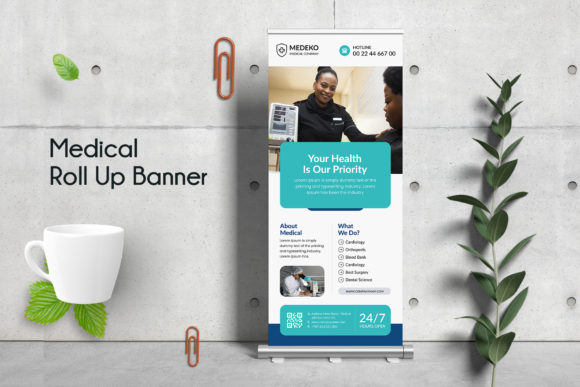
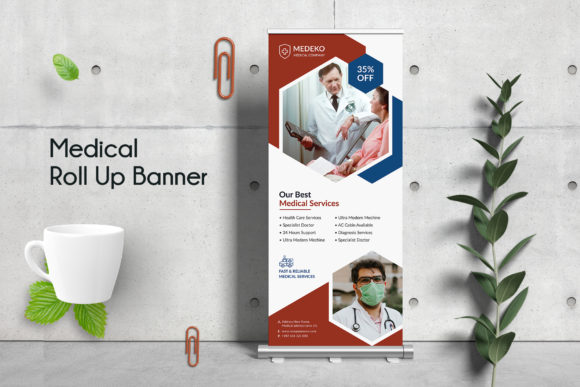
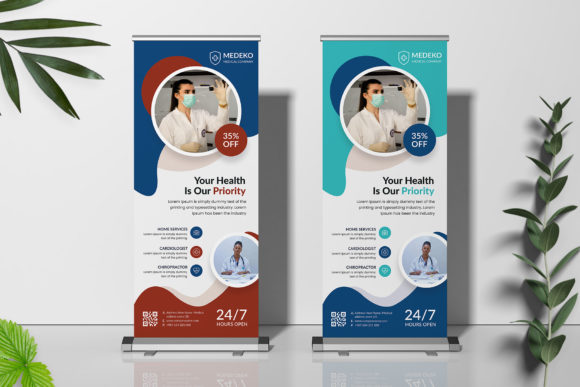
The visual appeal of this specific Medical Roll Up Template relies on a clean, modern aesthetic. It avoids the cluttered "wall of text" approach that plagues many medical flyers. Instead, it prioritizes whitespace, structured grids, and high-contrast typography. This is not just about looking good; it is about functionality. In a busy environment like a trade show floor or a hospital lobby, you have roughly three seconds to capture attention. The layout of this template ensures that your core message—whether it is a new service, a health screening event, or a brand introduction—hits the viewer immediately. It serves as a design asset that respects both the patient’s time and the designer’s workflow.
Design Specifications and Technical Integrity
For the graphic designers and creative professionals reading this, the technical specifications of the Medical Roll Up Template are worth a closer look. We are dealing with a robust print-ready file. The dimensions are set to 30 x 70 inches with a 0.25-inch bleed. This is the industry standard for roll-up banners, ensuring that your design extends to the edge without unsightly white borders after cutting. Furthermore, the file is set up in CMYK color mode at 150 DPI. While 150 DPI might seem low compared to a 300 DPI business card, it is the sweet spot for large format printing. It keeps the file size manageable while maintaining sharpness when viewed from a standard distance of 5 to 10 feet.
The structure of the PSD file is where the real value lies for busy creators. We know the pain of receiving a "layered" file only to find a flattened mess. This template features fully organized layers and Smart Objects. This means you can drag and drop your clinic’s imagery into designated placeholders without manually cropping or resizing. The typography relies on Google Fonts, which are totally free. This eliminates the headache of licensing fees for commercial fonts—a crucial consideration for small business owners and entrepreneurs watching their bottom line. You get a premium look without the premium price tag, utilizing popular typefaces that are proven to work in modern typography.
Visual Hierarchy and Brand Perception
When you utilize the Medical Roll Up Template, you are doing more than just filling in blanks; you are engineering visual hierarchy. The design utilizes a two-color scheme strategy. This is intentional. In branding, limiting your color palette to two primary colors increases brand recognition. It forces the eye to focus on the content rather than getting lost in a rainbow of hues. Whether you choose a calming blue and white for a pediatric clinic or a bold green and grey for a fitness and wellness center, the template adapts to your brand identity.
Consider the psychological impact of the layout. The template uses a balance of sans serif fonts for headers and clean legibility for body text. In healthcare, readability is paramount. You cannot afford to have a potential patient squinting to read your operating hours or contact information. The design ensures a clear visual hierarchy: the Headline grabs them, the Sub-headers guide them, and the Body text informs them. This structured approach helps in building a perception of professionalism. A well-designed banner suggests a well-run practice. It signals to the viewer that if you care this much about your marketing materials, you likely care just as much about their health.
Practical Applications Across Industries
While the name suggests a specific niche, the versatility of the Medical Roll Up Template extends beyond hospitals. It is a powerful tool for a variety of sectors. Pharmaceutical companies can use it for product launches at conferences. Physiotherapy clinics can place them in their lobbies to advertise new rehabilitation equipment. Health and wellness bloggers attending meet-and-greets can use them as a backdrop for video content, creating a professional studio environment on a budget.
Moreover, the adaptability of the file makes it suitable for packaging design mockups or social media graphics. By isolating specific elements of the template, a designer can extract the visual style to create Instagram stories or Facebook headers that match the physical banner. This ensures brand consistency across both digital and print mediums. The fact that the file is Adobe Photoshop PSD format means it integrates seamlessly into existing workflows for most design teams. It is a versatile design asset that supports a holistic marketing strategy rather than existing in a silo.
Customization and Finalizing Your Layout
Editing the Medical Roll Up Template is designed to be an intuitive process. The use of Smart Objects is the standout feature here. If you have a high-resolution photo of your medical team or a stock image representing patient care, you simply double-click the Smart Object layer, paste your image, save, and the template automatically applies the correct perspective and masking. This saves hours of manual Photoshop work.
However, a word of advice on image selection: the template notes that photos are not included. This is where your strategy as a marketer comes into play. Do not settle for generic stock photography if you can avoid it. Authentic images of your actual staff or facility build significantly more trust than a generic smiling model. Use the organized layers to swap out the color schemes to match your specific logo design. If your brand uses a serif font for elegance, swap the header font while keeping the body text in a legible sans-serif to maintain contrast. The goal is to use the template as a skeleton, but to flesh it out with the unique personality of your brand. By following these steps, you transform a generic PSD file into a high-impact marketing tool that drives real-world engagement.